New: Chat with your research and get instant answers sourced from your interviews, findings, and reports. Explore AI Chat
How to Choose a UX Research Repository: A 6-Step Guide for Teams

How to Choose a UX Research Repository: A 6-Step Guide for Teams

August 3, 2026

Choosing a research repository isn't just about comparing feature lists or picking the tool with the longest checklist. The right solution should fit the way your team works today, solve the challenges you're actually facing, and help your research practice scale over time.

With dozens of tools on the market and new AI capabilities appearing almost every month, it's easy to get distracted by flashy features. But a successful repository implementation starts long before you book your first demo. It begins with understanding your team's goals, workflows, and long-term needs.

This guide walks you through the entire evaluation process, from defining your objectives and identifying the features that matter most to comparing vendors, running trials, and planning a successful rollout. Along the way, we’ll share practical tips, common pitfalls to avoid, and a framework that helps you choose a repository your team will actually adopt.

The Short Answer

To choose a UX research repository, work through six steps in order: define your objectives, assess your team’s size and needs, turn those needs into a feature list, narrow down to two or three vendors, run real research projects during demos and trials, then decide and plan the rollout. The most common mistake is starting at step four and comparing tools before you know what problem you’re solving. Expect the process to take a day for a solo researcher and several weeks for a large organization with legal and procurement involved.

The Evaluation Process at a Glance

Six steps, in the order that saves you the most time:

  • Define your objectives
  • Look at your team, your audience, and your current setup
  • Specify features and functions
  • Narrow down your tool options
  • Book demos and actually use the trials
  • Decide, then plan the rollout

While we generally advocate following these six steps sequentially, there are moments when circling back makes sense. If you learn about an interesting feature during a demo in step five that hadn’t crossed your mind previously, add it to your requirements list in step three. Maintaining some flexibility is an advantage here, not a sign that you got the process wrong.

How long does it take to choose a research repository? It depends entirely on how many people need to agree.

  • Solo researcher or a two-person team: a few days

  • Mid-sized team consulting a few stakeholders: one to two weeks

  • Large organization with legal review, procurement, and multiple stakeholder groups: several weeks, occasionally a full quarter if the security review is thorough

1. Define Your Objectives

Before looking at tools, take a step back and ask yourself one simple question:

What problem are we actually trying to solve?

The answer will look very different depending on your organization. A company with two researchers may simply want a central place to organize interviews. A mature ResearchOps team might be focused on making years of research searchable across hundreds of stakeholders.

Getting this clear upfront is the single best defense against being dazzled by features that solve someone else’s problem. It also shapes practical decisions further down the line: how much you need to invest in onboarding, how you set up your workspace, and how much structure your taxonomy needs.

Your objectives also define the scope of the repository. Scope is shaped by things like how narrow or broad your research focus is, whether you work with a mix of methods or specialize, what timeframe and geographies you cover, which data types you handle, and whether you’re solving for this quarter or the next five years. All of that has to fit the resources you actually have.

You can use the examples below to identify and help determine the right focus for your repository implementation:

  • Organize and store research projects

  • Analyze customer data and transform it into actionable insights

  • Create and share findings people want to read

  • Make analysis a collaborative experience

  • Enable stakeholders to find and use insights in a structured way

  • Maintain a pool of research participants

2. Look at Your Team, Your Audience, and Your Current Setup

Once you know what you’re solving for, look at who you’re solving it for. Involve everyone who will use or contribute to the repository. People adopt tools they helped choose, and tend to avoid tools that arrive by decree.

Start with team size. A small, agile group and a large interdisciplinary team need very different things from the same product. Understanding your internal dynamics and workflows points you toward a repository that supports how you already collaborate, rather than asking you to reinvent it.

Then define your audience, meaning the people who will genuinely engage with the repository. Fellow researchers? Product and design stakeholders? Clients? Most likely a mix, and each group arrives with different expectations about how much structure and hand-holding they need.

Next, run a proper needs assessment. Sit down with your team and pin down the specific frustrations they hit when handling research data, documents, and findings. Which features are non-negotiable? Version control, data security, collaboration, visualization capabilities, and access permissions all tend to show up on these lists, but the ones that matter are the ones your team names unprompted.

Finally, do the unglamorous groundwork. List every research tool, method, and storage location you currently use, along with what each one costs. Then talk to colleagues about how they actually experience those tools, not how they’re supposed to work. You’ll usually find one or two surprises here, and you’ll walk into vendor conversations knowing exactly what you need and what you can afford.


3. Turn Your Goals Into a Feature List

Once you’ve defined your goals and listed your needs, the features that matter to your organization stop being abstract. Write them down. A written list is what keeps you honest during a demo when something shiny appears on screen.

Here’s a menu to pull from, grouped by the objectives above:

Organize and store research projects

  • Centralized repository for all customer data

  • Seamless data import with integrations and bulk upload options

  • Built-in anonymization to safely store and share data past retention windows

  • A taxonomy for quick and easy data retrieval

  • Effortless sharing and export functionality

  • Standardized templates for projects, sessions, and reports

Analyze customer data and transform them into actionable insights

  • Automated transcription, translation, and summarization

  • Highlights and tags to structure raw data

  • Video clips and highlight reels

  • AI-driven analysis: chapters, tagging, clustering, summarizing

  • AI-powered affinity mapping with theme and sentiment detection

  • Side-by-side cross-project analysis in a single view

  • Ask AI questions in plain language and get answers in seconds, along with tag and highlight suggestions

  • All outputs linked to their source evidence

Create and share engaging findings

  • Impactful, visual reports from your research

  • Video highlights you can export and share

  • Pre-built templates for your reports and whiteboards

  • Embedded findings in platforms like Slack, Notion, and Confluence

  • Let stakeholders surface findings in Slack, Microsoft Teams, Claude, ChatGPT, and other AI assistants

  • Integrations with tools like Zoom, Google Drive, Miro, FigJam, Zendesk, Zapier, and more

Make analysis a collaborative experience

  • Live collaborative note-taking

  • Infinite whiteboard for real-time collaborative synthesis

  • Comment and mention features for easy communication

  • Collaborative workshops with stakeholders to analyze findings together

Enable stakeholders to find and use insights in a structured way

  • Customizable stakeholder interface (e.g. Condens Insights Magazine)

  • Tailored homepages for different stakeholder groups

  • Conversational AI search for finding insights easily

  • Read-only access for stakeholders to view research findings

  • Advanced access permissions to control insights visibility

Maintain a pool of research participants

  • GDPR, HIPAA, CCPA, and APA-compliant participant database

  • Connect participant data to projects and findings

  • Anonymize participant names when sharing data

  • Easily delete personal data as needed

  • Search and filter research data by participant attributes

icon lightbulb

One more tip before you move on: mark each item as either critical or nice-to-have. When two vendors look equally good, that distinction is what breaks the tie.

Once you've pinpointed the functions of a user research repository that best aligns with your team's goals and needs, it's time to search for a tool that offers those features. Let’s explore the various types of tools available in the market.

4. Narrow Down Your Tool Options

It's now time to kick off the comparison of various tools and resources. During the process of refining your tool selection, you'll most likely encounter two fundamental questions:

  1. Should we use a generic tool or a specialized one?

  2. Should one tool handle both analysis and archiving?

4.1. Using a Generic Tool

Can we just use Notion, Confluence, or Google Drive? Often, the first question someone asks and it’s a fair one. The primary advantage of a general-purpose tool is that typically everyone within your organization already has access to it, which helps you avoid the “yet another tool” hurdle. While using a generic tool may seem convenient at first, there are also several drawbacks and limitations to consider when applying it to user research. Let's explore the pros and cons in more detail.

Pros and cons of using a general-purpose tool as a research repository

General-purpose tools can be useful for general research purposes (as the name suggests), but may not be the most optimal choice for managing user research data.

4.2. Using a Specialized Tool

UX research repositories are built for the specific demands of UX research, which usually means stronger analysis features, better organization, and collaboration designed around how research teams actually work.

Specialized user research repository platforms offer many advantages, but they also have some potential drawbacks to consider. Let’s take a look at both of them:

Pros and cons of using a dedicated research repository platform

4.3. Should Analysis and Storage Live in One Tool or Two?

Should you use a single tool for both data analysis and storage, or should you go with dedicated separate tools for these tasks? Let's dive into the pros and cons of these two options.

Different Tools for Data Analysis and Repository

When researchers use different tools for analysis and storage, someone has to spend extra time making sure findings are documented and saved properly. That archival task involves:

  • Gathering all data from multiple sources and moving it to the archive

  • Organizing the data sensibly, for example separating raw data, analysis, and findings

  • Adding context for searchability: time of study, topics, researchers involved

None of this is difficult. It is simply work that happens after the interesting part is over, which makes it the work most likely to be postponed and then skipped.

One Tool for Both Data Analysis and Repository

When researchers use a single tool that combines analysis and storage, they save considerable time by analyzing data and storing findings in one place. That makes the information easier to reuse and makes cross-project analysis possible. The benefits in more detail:

  • Easy Data Handling: the tool gathers and organizes data, so researchers don’t have to. Everything they need is in one place.

  • No More Missing Info: the tool automatically captures details like when the study happened and who was involved, so context survives without extra effort.

  • Enhanced Searchability: because data and its backstory stay together, finding what you need by keyword actually works.

  • Time and Energy saved: no switching between tools and no manual tidying, so you can focus on the research itself.

  • Teamwork Made Simple: when everyone works in the same tool, multiple researchers can access and work on the same data without handoffs.

  • Lasting value: your research stays useful for years, for you and for colleagues who weren’t part of the original study.

In a nutshell, using a tool that handles both data analysis and storage makes research a lot easier. It takes care of the tricky parts, so you can focus on what really matters.

Consider the Different Needs of Different Stakeholders

When deliberating on the selection of analysis and repository tools, it's vital to take the diverse needs of all parties involved into account. Three groups tend to emerge:

  • Researchers: usually the people using a repository daily. They require robust tools for data collection, analysis, and organization to support their research effectively.

  • PwDR or People who Do Research: also actively involved in generating research data and insights. They need easy access to research data, efficient search, and collaboration support.

  • Research Consumers: a broader group of stakeholders across departments who rely on research findings to make informed decisions. They mostly need access to organized, comprehensible, and up-to-date research.

Researchers and research consumers want close to opposite things. One group needs depth and control, the other needs clarity and speed. Those requirements are difficult to serve well in the same interface, so how do you balance integration and separation?

A practical solution is an analysis tool and a repository that share a common database, with customized interfaces for each group. Researchers get a dedicated workspace that streamlines their research and data management. Research consumers get a straightforward interface for accessing and understanding research outcomes. Both groups reach the same information, and each interacts with it in the way that suits them.

Once you’ve answered these questions, you have a solid basis for comparison. To assess quality, usability, and reliability, lean on online reviews, ratings, and recommendations from other UX researchers. Also check compatibility, integrations, and scalability against the systems you already run. For a broader view of how repositories fit into a research practice, the Nielsen Norman Group’s article on research repositories is a useful companion read.

The list of reviewed user research tools on G2 is a good starting point. Begin with a long list, then refine it against your non-negotiable criteria. Try to narrow your selection down to two or three vendors for a more thorough evaluation. That number strikes a balance between enough choice to find the best fit and respect for your time.

Five Reasons Researchers Choose Condens Over Other Research Repository Tools

  1. Intuitive Enough for Your Whole Team: Condens is built so that anyone on your team can find their way around and get value from it, whether they're a UX researcher, product manager, or designer. There's no steep learning curve, and no rigid workflow to conform to. It works however you and your team prefer to work.

  2. Research Context, Wherever Your Team Already Works: Stakeholders can access published research directly in Slack, Teams, or any MCP-compatible AI assistant, including custom company LLMs. And when AI has access to your research as its knowledge base, its output gets significantly better. Instead of filling gaps with assumptions, it works from everything you've actually learned about your customers.

  3. A Curated Space for Stakeholder Self-Service: The Insights Magazine gives you a dedicated, customizable space to present research to stakeholders. Organize it by team, product area, or research topic, whatever makes the most sense for your audience. Stakeholders can browse what's been curated for them, or simply ask AI questions to surface what they're looking for.

  4. Enterprise-Level Security: We take extra care that your user research data stays secure. Any data you upload to Condens stays yours and is never used to train AI models. We offer secure hosting in both the US and the EU, with daily back ups, encryption, and anonymization features. Condens is also GDPR, HIPAA, CCPA, and APA compliant, as well as SOC 2 certified.

  5. Exceptional Customer Support: Condens provides top-notch human support and guidance. A real team responds to every message, follows up on every piece of feedback, and sometimes ships fixes the same day you report them. Reach out via email or schedule a video call. Our dedication to excellent service and a personal touch is what sets Condens apart!

5. Book Demos, and Actually Use the Trials

With a shortlist in hand, it’s time to get your hands on the tools. Use free demos and trials to judge the experience, the interface, and the functionality for yourself. Talk to the customer success team too. How they answer your questions during evaluation is a decent preview of what support will feel like later.

Here’s the part most teams skip: don’t test with sample data. Run a real project. Import an actual study, tag it, build a report, share it with a stakeholder. Sample data makes every tool look fine, because sample data is tidy and your research never is. If real data isn’t possible during a trial, dummy or example data is a workable fallback, but push for realism wherever you can.

While you’re in there, look beyond the features: pricing, data privacy and security, support quality, and what onboarding actually includes.

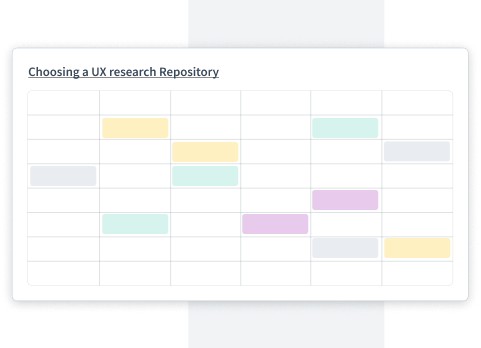
To guide you through this evaluation process, we offer a template for selecting a UX research repository. This resource aids in identifying the most suitable tool for your needs and includes a vendor comparison overview.

Check out the template here.

Choosing a UX research repository template

Your Checklist for Choosing a Research Repository

Choosing a repository is a real decision, but it’s a manageable one. Use this checklist so nothing important slips through:

  • Create a shortlist of two to three vendors for your user research repository
  • Visit their websites and help centers to learn about their capabilities
  • Send them the evaluation spreadsheet with your goals to see what they can offer
  • Use the template's page two to assess user experience and functionality, rating each tool from 1 to 5 and adding qualitative comments.
  • Evaluate security and privacy with involvement from your legal team.
  • Consider support and onboarding aspects, including available communication channels and time zone compatibility
  • If evaluating as a team, have team members individually fill out the evaluation template and discuss the results later.
  • Assess the pricing of each tool for your team size and expected growth
  • Schedule personal demos with vendors and use free trials to better understand how the tools match your requirements.
  • If possible, use the tools with real research data to get a practical sense of their usability.

6. Decide, Then Plan the Rollout

After the demos and trials, it’s decision time. Get your team or manager together, review the feedback you collected, and work out which tool fits your requirements most closely. The completed template does a lot of the heavy lifting in this conversation because it turns opinions into something comparable.

icon lightbulb

Weigh everything from the previous steps, then take a final look at ease of use, collaboration, security, and how well the tool fits alongside what your team already uses. The best tool on paper isn’t always the best tool for your workflows.

Once you’ve decided, name one or more people to own the implementation. That includes not just the handling of procurement, but also defining the data structures and taxonomy, migrating existing research, granting access, communicating internally about what the repository is for, and making sure everyone has a smooth first week. That last part matters more than people expect. A repository nobody knows how to use is just a more expensive version of the folder you started with. Give the rollout the same care you gave the decision, and your research finally gets the audience it deserves.

Go Deeper on Research Repositories

This article covers the basics. If you'd like to dive deeper, check out our free guide. It explores what a research repository actually consists of, how to define its goals and scope, and the common pitfalls that prevent repositories from being adopted. You'll also find a chapter on the role of AI in research repositories, plus a case study on how ZEISS successfully introduced theirs.


About the Author
Lena Halberstadt

Lena is the Head of Marketing at Condens, where she leverages her expertise in B2B and SaaS marketing. With a proven track record in crafting effective strategies for tech startups, Lena is passionate about optimizing processes and gaining insights into user behavior. She believes that understanding user pain points, needs, and preferences is crucial for successful marketing. At Condens, she is eager to lead marketing initiatives and contribute valuable insights to the UX research community.


Want to receive UX Research Meetup & Event guides, new content and other helpful resources directly to your inbox? Enter your email address below!