
Creating a Workspace information field
Workspace information fields can be created and managed in Settings > Workspace > General. Just scroll to the bottom of this page to find your Workspace fields and click  Create your first Workspace Field to get started.
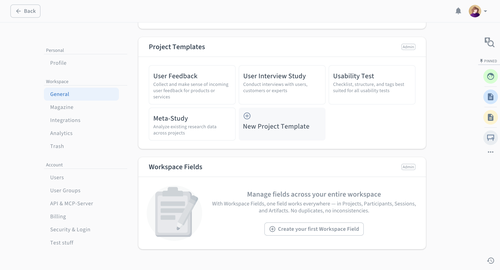
For every Workspace field, you can define its:
Type: Select between Text, Number, Date, Checkbox, Single select, Multi select, Participant, User, URL, Email, or NPS.
Field Name
Editing permissions (Can be edited by): Select by role, user group, or specific users. Additionally, if the field type is Single select or Multi select, you can specify who can add new categories for it.
Usage limitations (Limit usage to): Specify whether this field can be shared across Projects, Participants, Sessions, and Artifacts.
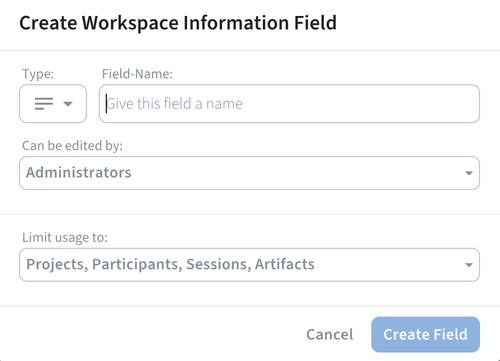
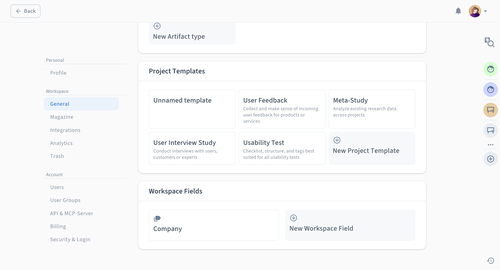
Once done, click . You will see all your Workspace fields in the General Workspace settings.
How to link Workspace fields
Workspace information fields can be attached to:
Projects
Artifacts
Sessions
Participants
Likewise, you can set them up when editing existing or creating new Artifact types and Project templates.
Projects, Artifacts, Sessions, and Participants
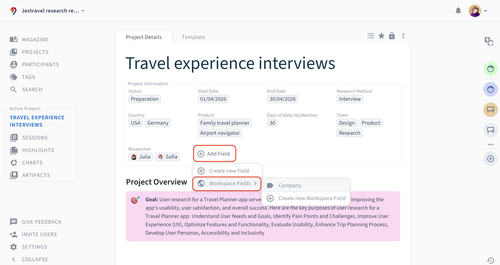
In any Project, Artifact, Session, or Participant profile, simply click on Add Field > Workspace Fields, and choose the field you want to attach from the list of available Workspace fields.
Artifact Types and Project Templates
To link a workspace field to any existing or new Artifact Types and Project Templates:
Go to Settings > Workspace > General.
Click on any Artifact Type or Project Template. The process is the same if you choose to create
New Artifact type or New Project Template.Click Add Field > Workspace Fields, and choose the field you want to attach from the list of available Workspace fields. You can also quickly
Create new Workspace Field from here.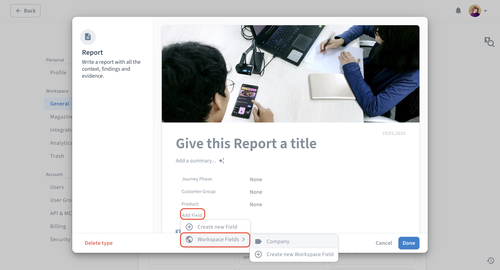
Click if you were editing an existing Artifact type or Project template, or if you created a new one.
Once linked, the field will appear on all documents of that type and draw from the same shared set of values. Any changes to the field definition (name, category options, etc.) will be reflected everywhere it's used.
How to turn or merge fields into Workspace fields
For any existing information field, whether on a Project, Artifact, Session, or Participant level, you can:
Click on it, and then select Edit field.
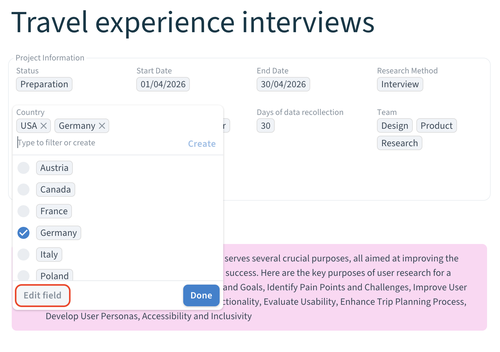
Click on the three-dot menu in the popup modal and
 Turn into Workspace Field.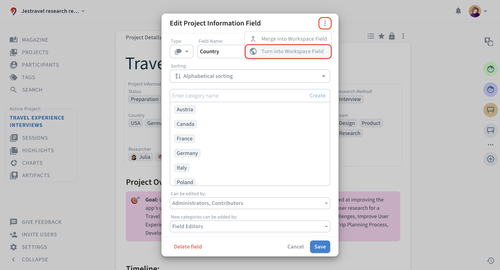
From here, you can also
 Merge into Workspace field if you want to consolidate any of the existing information fields into a Workspace field you previously created.
